Step highlights guide you through the sequence. You choose the bin after measurement; the reason for a correct or incorrect choice appears afterwards.
MACHINE-SPECIFIC TRAINING SIMULATIONS
3D training simulations
for your machine.
Practise first. Then produce.
We build 3D simulations that teach your team how to operate your machine and carry out its maintenance steps.
Your team practises on a digital model of your machine. They follow the procedure, learn why an action is incorrect and try again. Training runs in the browser.
Try the training simulationMachine manufacturers · Maintenance and service teams · Technical training managers
Meetings are optional. We can start with your documents.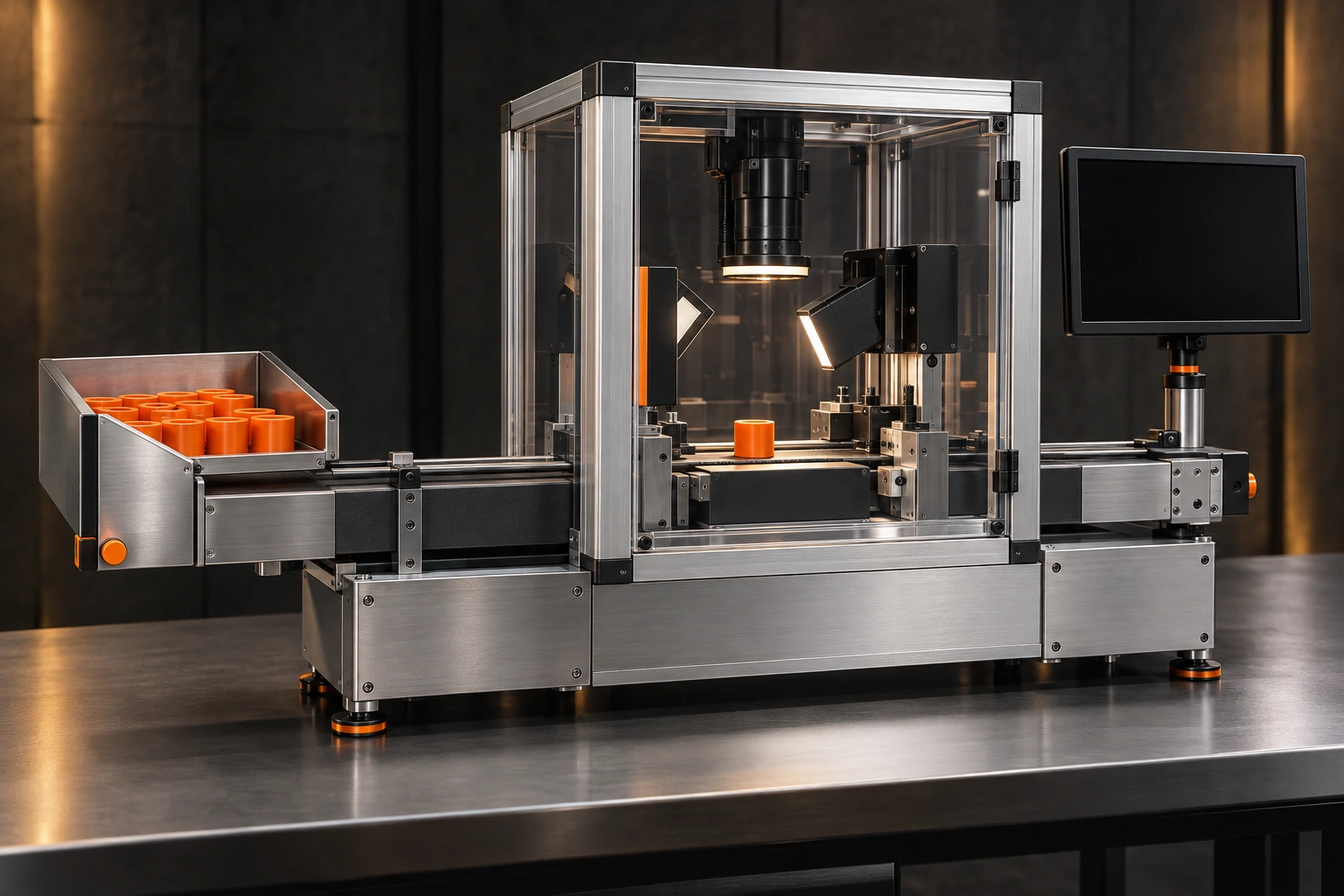
SAMPLE MACHINE FOR A SIMULATIONDigital visual concept · Not a client project
See the step.Make a decision.Get feedback.Practise again.
LEARN FIRST. THEN TRY IT YOURSELF.
Operate the machine.
Make the decision.
In this short example, measure a part and sort it into the correct bin. Read the task and choose a mode first, then use the controls on the 3D machine.
TRAINING EXAMPLE / OPTICAL MEASUREMENT STATION
Does this part have the required diameter?
Your task is to measure the outside diameter: the width across the round part through its centre. In this example, the drawing requires a diameter of 23.8–24.2 mm. The machine measures it; you use the result to accept the part or set it aside.
Acceptable range23.8–24.2 mmRequired outside diameter in this example. Both limits are included; smaller or larger parts must be set aside.
OUTSIDE DIAMETER
Colour does not determine the decision. Diameter within range: ACCEPT. Smaller or larger: SET ASIDE.
Diagram showing the measured dimension; not to scale.- 01PreparePlace the part and close the cover.
- 02MeasureMeasure the outside diameter and see the result.
- 03DecideChoose ACCEPT or SET ASIDE. Then see the explanation.
No time limit or attention score. The aim is to learn the process and the reason for the decision.
How would you like to start?
Apply the sequence yourself. Choose ACCEPT or SET ASIDE after measurement, then see the reason for your decision.
Loading 3D machine…
The 3D view is unavailable. Use “All controls” to perform the same actions.
PM-24—23.8–24.2 mm
All controls
Fictional training example, not connected to a real machine. It does not authorise machine operation. Progress stays on this page only.
What this means for your machine
Your employee operates a digital model of your machine, sees why an action failed and tries again. Your team validates the operating sequence and error scenarios used in the training.
MORE THAN A VIDEO
A training simulation
built for you.
We create interactive training for a specific task on your machine. Learners work through the sequence, receive an explanation when they make a mistake and practise again.
An approved procedure
We use your manual and your technical expert’s input to write the sequence, decision points and correct responses. You approve them before production begins.
3D modelling and interaction
We use your existing 3D model if it is suitable. Otherwise, we build the required model from photos, drawings and dimensions, then connect it to the training steps.
Error scenarios
Selected error scenarios explain what the learner missed. They can correct the mistake and try again; no commands are sent to a real machine.
Completion summary
We deliver training that can be opened in a browser. Completed steps and retries are summarised; user accounts and company reporting are scoped separately.
YOUR FIRST PROCEDURE
Start with
one machine.
For small groups, too.
Begin with one operating or maintenance task.
One machine · One procedure
- Up to 8 procedural steps
- 2 selected error scenarios
- Browser-based access
- Completion summary and 2 revision rounds
We focus on one task and the machine parts needed for training, rather than modelling an entire facility. Pricing depends on modelling, steps, languages and target devices. Scope, total price and delivery schedule are provided in writing before work begins.
Request a quote for your procedureYOUR TECHNICAL KNOWLEDGE. OUR SIMULATION.
Meetings are optional.
Send your brief by email. We can work from your documents and contact you when technical information is missing. We can also arrange a meeting if you prefer.
Choose one task
Tell us the machine type, the task to teach and who will use the training. Let us know which manuals, photos, videos or drawings you have, and we will prepare a scope and price proposal.
Approve the scenario
We provide the steps and decision points in writing. Your technical team checks them so we can resolve any gaps before building the simulation.
Try it through a link
Review the simulation through a preview link. Send your changes in one list and we will apply the agreed revisions.
Let your team practise
We deliver the approved training for the agreed devices, access and hosting arrangements. Any additional procedure is scoped separately.
The simulation does not control a real machine and does not replace on-site training, authorisation or official certification. Technical accuracy and conditions of use require your expert’s approval.
BEFORE YOU START
Your questions.
Can we start without a 3D model?
Yes. We also provide 3D modelling. We review photos, videos, technical drawings and dimensions to model the parts needed for training. Modelling costs are included in the quote; your expert verifies the technical dimensions and details.
Do we need a VR headset or an app?
The standard solution runs in a browser. No VR hardware is required. Support for phones, tablets or computers is agreed according to the interactions your procedure needs.
Can this example be adapted to our machine?
This training simulation demonstrates a procedure and the consequences of decisions. Your project is designed separately around your machine’s 3D model, expert-approved sequence and training objectives.
Can we record training results?
This website’s example does not store results. If you need company reporting, user accounts or integration with an existing learning system, we define the data and integration requirements separately.
How long does it take and what does it cost?
We prepare a quote based on the number of steps, modelling needs, languages and scenario complexity. The timeline, revisions and deliverables are agreed in writing before work begins.
THE TASK YOU KEEP EXPLAINING
Which task do
you want to teach?
Tell us about your machine, one operating or maintenance task and the intended learners. We will prepare a proposal with the scope, deliverables and price.
hello@provamotoru.comYou do not need a meeting or a ready-made 3D model to start. Tell us the machine type, task and approximate learner count; we will then clarify which documents are needed.
Send your brief by emailOpens a draft in your email app. If you use webmail, copy hello@provamotoru.com and send your brief there.
We use your name, email address and project details to review your enquiry and reply. Please avoid confidential documents or sensitive personal information in your first message.
Or email us at hello@provamotoru.com — English enquiries welcome.